
Velvet River
Ready to playA classic poker night in your browser, with solo AI rivals and private online tables
A little about the game
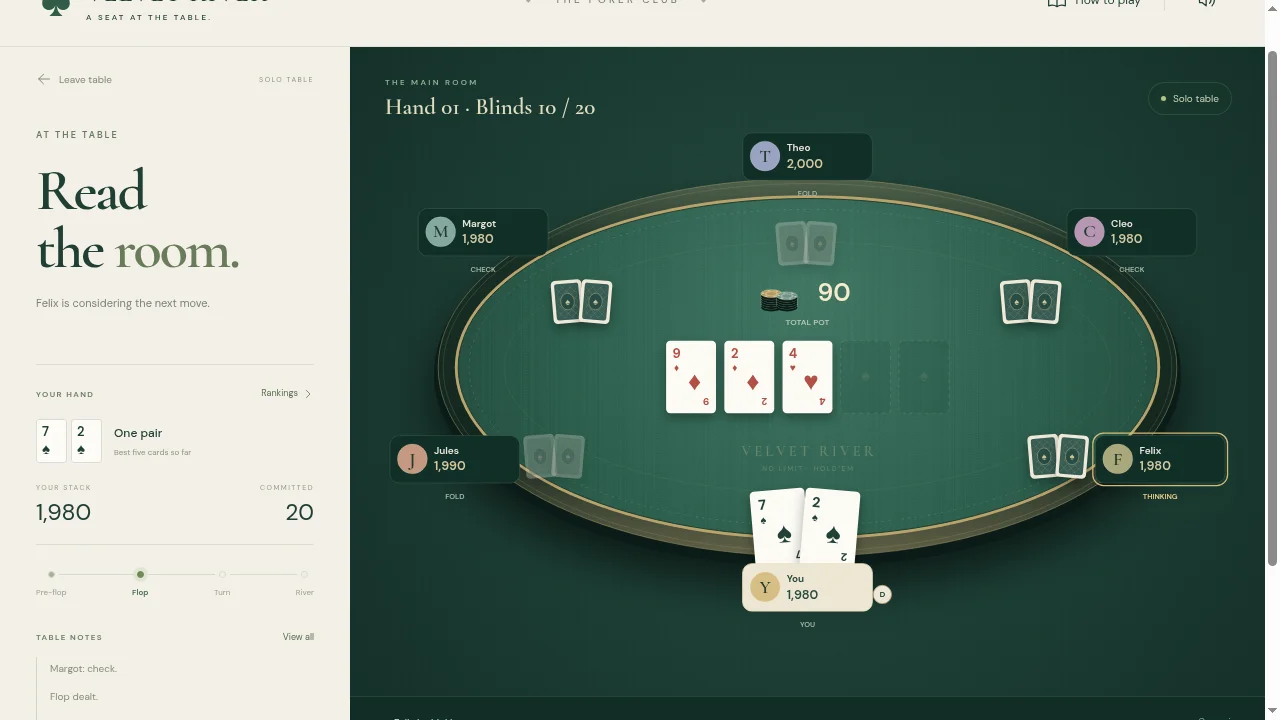
Pull up a chair at Velvet River, a stylish Texas Hold’em game with a classic green felt table, animated cards, and a fully 2D canvas experience.
Play solo against up to five AI opponents across three difficulty levels, or invite friends to a private online table for up to six players. Raise, bluff, and go all-in as you compete to win every chip.
With intuitive controls, built-in hand rankings, and support for desktop and mobile, everyone has a seat at the table. All play uses fictional chips, with no account required.
How to play
Velvet River lets you follow a Texas Hold’em hand through four betting stages. The action panel shows what it costs to stay in, while the table notes explain what the computer players just did. All chips are fictional.
Your first game
- Take a solo seat.
Choose the number of computer opponents and their difficulty, then select Take your seat. You start with 2,000 fictional chips; the first blinds are 10 and 20.
- Read the amount to call.
When your turn arrives, call to match the current bet, check if nothing is owed, raise or fold. The raise control specifies your total bet for that street, not just the extra chips.
- Follow the shared cards.
The flop, turn and river reveal five community cards. Combine them with your two hole cards to make the best five-card hand. Use Rankings if you need to compare hands.
Controls
- F / Fold
- Leave the current hand.
- C / Check or Call
- Check for free or match the amount shown.
- R / raise control
- Set your raise; review the total before confirming.
- Rankings / table notes
- Look up hands / review recent actions.
A useful starting pointCheck the board as well as your own two cards when the flop arrives. The label beside your hand updates as community cards are dealt, making it a useful way to follow how a hand changes.
Before you play
Solo play through the flop and the call shortcut checked in desktop Chrome. No real money is involved. The online table option was not part of this check.


From the community (0)
Be the first to start the conversation.